A client in Watchet rang me in a panic last month. She'd received an email from what looked like her bank, clicked the link, and entered her details. Something felt off afterwards, and she was right to worry. The email was fake, and she'd just handed her login details to scammers.
She's not alone. I've been helping Somerset businesses with their online presence for decades, and email scams have become one of the biggest threats I see. They're getting more sophisticated too — gone are the days of obvious spelling mistakes and Nigerian princes. Today's scams can fool even the savviest business owners.
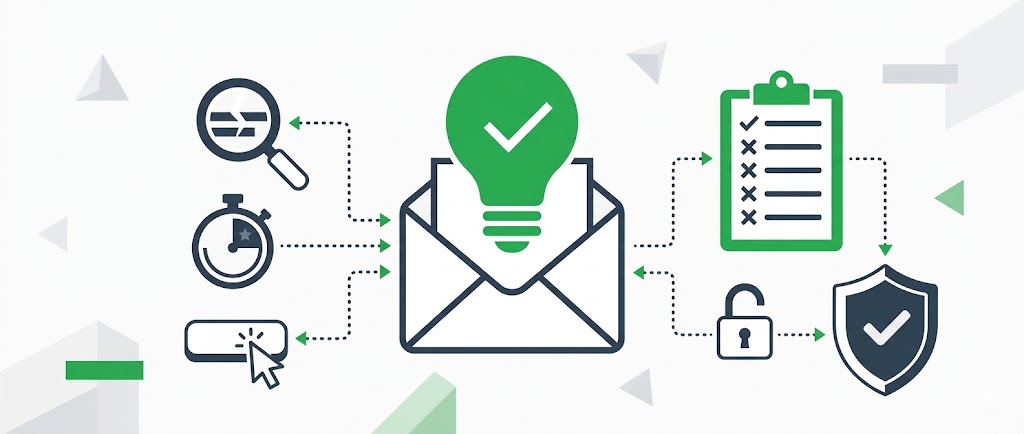
Here are five practical ways to spot a scam email before it catches you out.
1. Check the Sender's Email Address Carefully
This is the first thing I tell every client. Hover over the sender's name (don't click!) and look at the actual email address. Scammers are crafty — they'll use addresses that look almost right but aren't quite.
I helped a B&B owner in Minehead about six months back who nearly fell for an email from "support@arnazon.co.uk" — notice the 'rn' instead of 'm'? These subtle tricks catch people out all the time.
Quick tip: Legitimate companies use their own domain. PayPal emails come from @paypal.com, not @paypal.security-check.com or similar variations.
Watch out for these red flags:
- Extra characters or misspellings (amazom.com, mircosoft.com)
- Additional words in the domain (paypal-verification.com)
- Free email providers for business correspondence (hmrc@gmail.com)
- Numbers replacing letters (g00gle.com with zeros)
2. Look for Urgent Language and Threats
Scammers love to create panic. They want you to act fast without thinking. If an email threatens to close your account, suspend your service, or demands immediate action, stop and think.
Back in spring 2024, a café owner in Bridgwater forwarded me an email claiming to be from HMRC. It said she owed £3,000 in unpaid taxes and threatened legal action within 24 hours. Classic scare tactics.
Real organisations don't operate like this. HMRC sends official letters for serious matters. Banks give you proper notice. Legitimate companies understand that customers have lives and can't always respond immediately.
Common Pressure Tactics
- "Your account will be closed in 24 hours"
- "Immediate action required"
- "Failure to respond will result in legal action"
- "Limited time offer — act now!"
- "Your security has been compromised"
£1.4 billion
Lost to email and online fraud in the UK during 2023, according to UK Finance
3. Hover Over Links Without Clicking
This simple trick has saved countless clients from disaster. When you hover your mouse over a link (without clicking), you'll see where it really goes. The destination appears in the bottom corner of your browser window.
Scammers often disguise malicious links with legitimate-looking text. The email might show "Click here to verify your PayPal account", but hovering reveals it actually goes to dodgy-site.ru/paypal/steal-your-details.
I always recommend this three-step approach:
- Hover over every link before clicking
- Check the destination matches what you'd expect
- When in doubt, go directly to the website by typing the address yourself
A plumber in Taunton learnt this the hard way when he clicked what he thought was an invoice from a supplier. The link downloaded malware that encrypted his customer database. He had to pay £500 to get his files back.
4. Check for Poor Grammar and Generic Greetings
While scammers have improved their spelling, many still make basic mistakes. Look for odd phrasing, unusual word choices, or grammar that doesn't quite sound right.
Generic greetings are another giveaway. Your bank knows your name — they won't address you as "Dear Valued Customer" or "Dear User". If Amazon emails you, they'll use your actual name, not "Dear Sir/Madam".
Remember: Companies you have accounts with will always use your real name in communications. Generic greetings are a massive red flag.
I've noticed scam emails often have these characteristics:
- Inconsistent capitalisation
- Odd spacing between words
- American spellings in emails supposedly from UK companies
- Overly formal or stilted language
- Missing full stops or excessive exclamation marks
5. Verify Independently Before Taking Action
This is my golden rule: never use contact details from a suspicious email. If you're unsure whether an email is legitimate, contact the company directly using details from their official website.
When I redesigned a website for a shop owner in Williton in summer 2023, she showed me an email claiming her domain was about to expire. Instead of clicking the renewal link, we logged into her actual domain registrar. Sure enough, her domain wasn't due for renewal for another eight months.
How to Verify Safely
- Open a new browser window
- Type the company's web address manually
- Log into your account the usual way
- Check for any genuine alerts or messages
- Call using a number from their official website, not the email
Banks, in particular, are happy to verify whether they've contacted you. They'd rather you check than fall victim to a scam.
What to Do If You've Clicked a Dodgy Link
Don't panic, but act quickly:
- Change your passwords immediately, starting with any you entered
- Contact your bank if you've shared financial details
- Run a full antivirus scan on your computer
- Monitor your accounts closely for unusual activity
- Report the scam to Action Fraud (actionfraud.police.uk)
Email scams aren't going away, but you don't have to be an easy target. Take a moment to check emails properly, especially ones asking you to click links or provide information. Those extra few seconds of caution could save you from a world of hassle.
If you're running a business in Somerset and want to improve your email security or need help recovering from a scam, get in touch. I've helped dozens of local businesses tighten up their online security, and I'm always happy to share what I've learnt over four decades in this industry.
Sources
- UK Finance — Annual fraud report showing £1.4 billion lost to fraud in 2023
- Action Fraud — The UK's national reporting centre for fraud and cybercrime
- National Cyber Security Centre — Official guidance on dealing with phishing emails
Not Sure About a Suspicious Email?
If you've received an email that doesn't look right, don't click anything — forward it to me and I'll tell you if it's genuine. I'd rather spend 30 seconds checking than see you lose money to scammers.
Forward It to MarcusFree for all Exmoorweb customers. No question is too small.
About the Author: Marcus Knapman has been working with computers and building websites since the mid-1980s. Based in Somerset, he runs Exmoorweb from Williton — personally visiting customers across Minehead, Watchet, Taunton, Bridgwater, and the wider South West. With a BSc (Hons) and over 40 years of hands-on experience, he combines technical expertise with practical, no-nonsense advice.